How do I scratch an entry?
On Top Dog Events, scratching an entry can occur after a trial is closed and prior to a run taking place. Scratching an entry does not trigger a refund.
Step 1
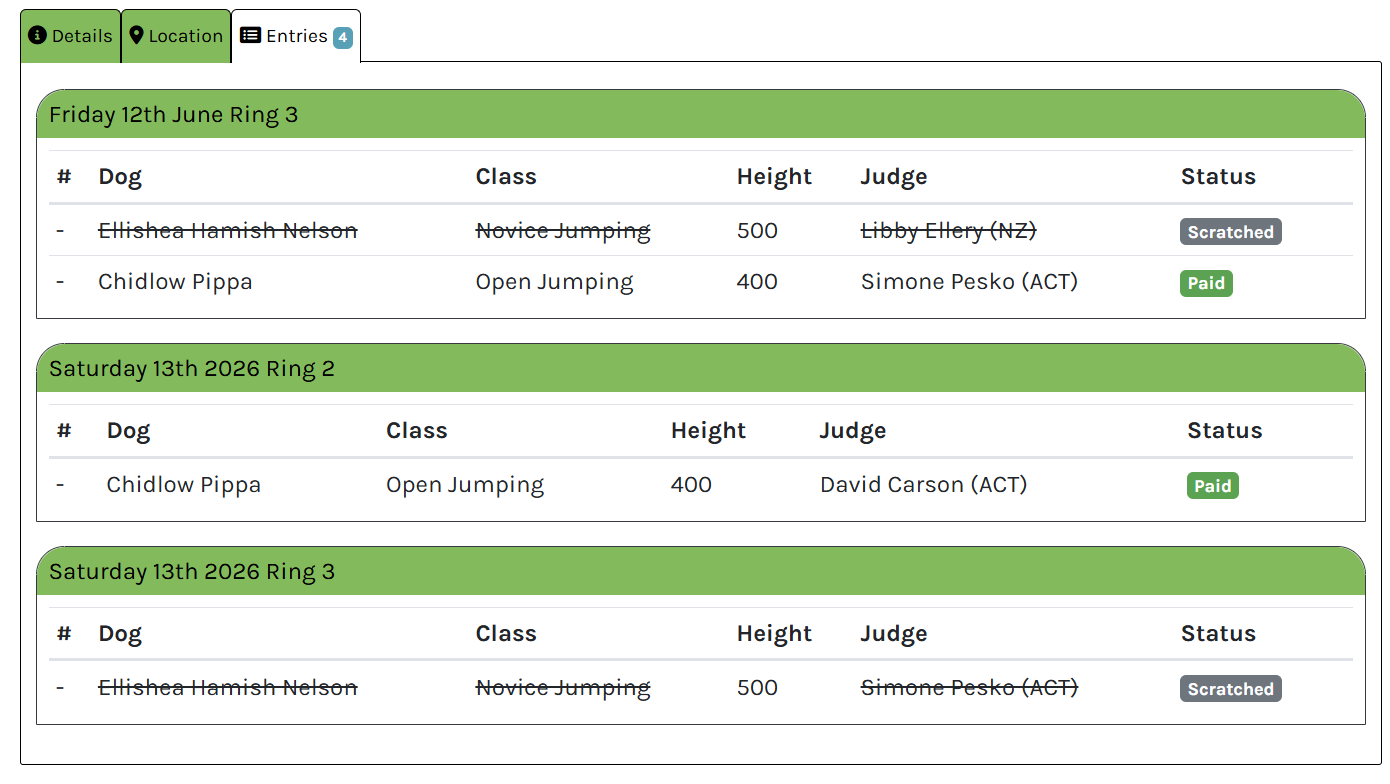
Locate your entries. Find these either via "Entries" tab on the event details...
Locate your entries. Find these either via "Entries" tab on the event details page or the "My Entries" link in the main menu
Step 2
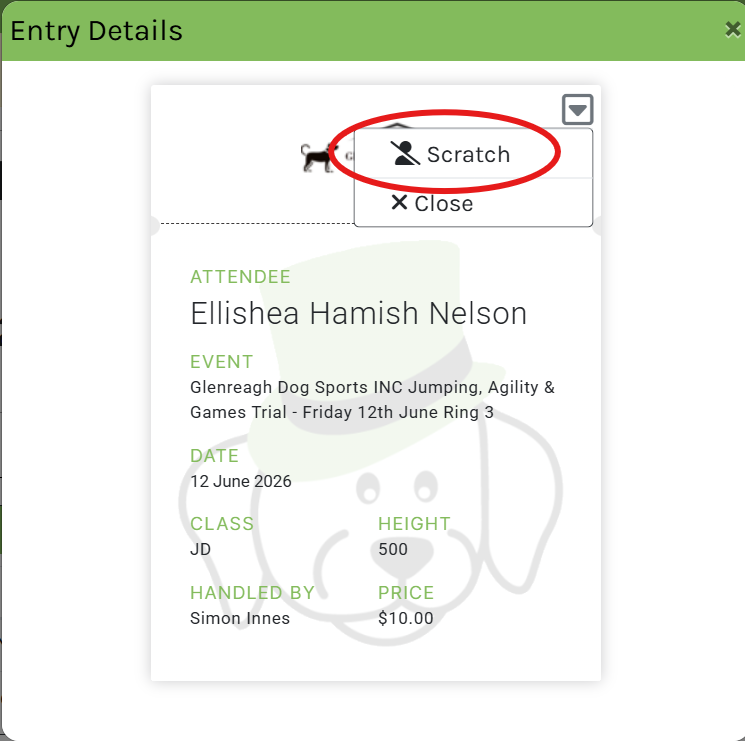
Select the entry you wish to scratch and select "Scratch" from the menu.
Select the entry you wish to scratch and select "Scratch" from the menu.
Step 3
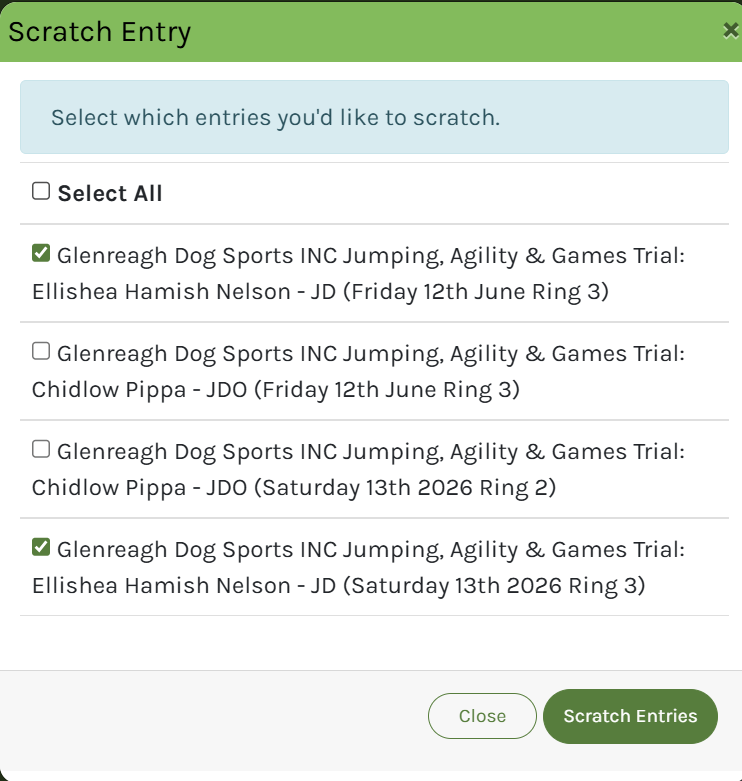
This will show all your entries for this event. Select the entries you wish t...
This will show all your entries for this event. Select the entries you wish to scratch and click "Scratch Entries"
Step 4
The entries you selected will now show as 'scratched'
The entries you selected will now show as 'scratched'